Class Description
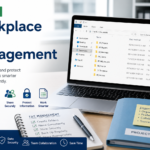
Workplace File Management provides students with the practical skills needed to organize, store, locate, share, and protect digital information in a modern workplace. The class introduces reliable methods for managing documents and records across local computers, shared drives, cloud platforms, and collaborative business systems.
Students learn how to create logical folder structures, develop consistent file-naming conventions, recognize common file types, and use search tools to locate information efficiently. Instruction also covers file properties, storage locations, document versions, duplicate files, downloads, compressed folders, shortcuts, and methods for moving, copying, renaming, and archiving workplace materials.
The class examines how organizations use shared folders and cloud storage to support collaboration. Students practice sharing files, assigning access permissions, distinguishing between viewing and editing privileges, maintaining current document versions, and preventing accidental changes or unauthorized access. Common workplace challenges—including misplaced documents, unclear filenames, conflicting versions, inconsistent filing practices, and lost work—are addressed through realistic examples and guided activities.
Students are also introduced to essential information-protection practices, including secure file handling, backups, recovery options, retention guidelines, and the appropriate disposal of outdated or sensitive records. Emphasis is placed on balancing convenient access with confidentiality, accuracy, and organizational accountability.
Hands-on exercises allow students to build and maintain a structured digital filing system for a simulated workplace. Activities may include organizing departmental documents, managing project files, sharing resources with coworkers, resolving version conflicts, archiving completed work, and recovering missing or accidentally modified files.
By the end of the class, students will be able to establish and follow practical file-management standards, select appropriate storage and sharing methods, maintain orderly digital records, and manage workplace information confidently across common desktop and cloud-based systems.


 ScheduleSep 15, 2026 4:00 am - Sep 15, 2026 6:00 am
 Hours2 hours
 Materials0 materials
 Assignments0 assignments
 Nissan Corporate Office - Cool Springs